




Photo Printers for Every Studio
Printing and scanning connects your digital work to the physical world. Whether you're making exhibition prints, preserving film archives, or sharing work with clients, the right printer or scanner determines how your images come to life.
Desktop inkjet printers are the workhorse of most photography studios, handling standard and large-format sheets with consistent color across paper types. Brands like Canon and Epson manufacture professional photo printers with 8 to 12 color channels and resolutions up to 5760 DPI.
Wide-format printers handle papers up to 44 inches wide, designed for photographers creating exhibition prints and gallery displays. These machines offer the same color precision as desktop models but at larger scales, reducing the need to tile smaller prints together.
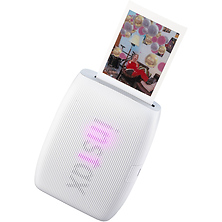
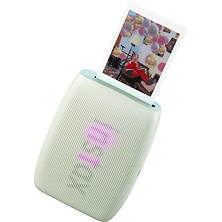
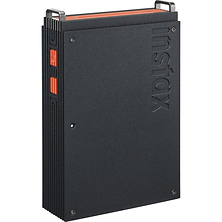
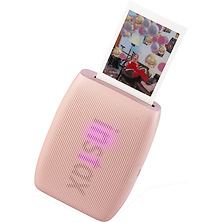
Portable printers let you generate prints on location, showing clients physical proofs during shoots and delivering prints same-day. Dye-sublimation systems create photographic prints by infusing dyes directly into media, producing no-grain output with permanence that rivals traditional chemical prints.
Scanners for Archives and Film
Flatbed scanners digitize prints, documents, and transparencies with color management tools and optical resolutions up to 4800 DPI. Large-format flatbeds accommodate oversized prints and contact sheets without requiring multiple scans. Brands like Canon manufacture scanners with auto-document feeders for batch work and transparency adapters for slides.
Film scanners are purpose-built for digitizing slides and negatives. Because film holds more detail than flatbed scanners can extract, dedicated film scanning produces higher-quality digital files from your film archives. These systems include specialized optics and LED light sources that minimize damage to original film.
Color Management & Accuracy
Printing and scanning only work as well as your color workflow. Color-managed systems ensure prints match your monitor display and files stay consistent across software. Display profiling ensures your monitor reflects the color your printer will produce. Paper profiles let you maintain consistent output when switching between media. Printer profiles account for the specific behavior of your equipment, media, and ink combinations.
Papers and Inks
Your printer is only as good as the paper and ink you feed it. Professional photo papers in matte, luster, glossy, and fine art finishes are engineered for specific printers and inks, balancing surface texture, brightness, and longevity. Manufacturer inks deliver the color performance printers are calibrated for, while archival formulations ensure prints last decades without fading.
Building Your Workflow
Start by understanding your workflow. Do you need prints regularly or occasionally? Will you print at a standard size or across a range? Are you scanning prints, film, or both? These questions determine whether a basic desktop printer or a wide-format system makes sense, and whether a general-purpose flatbed scanner meets your needs or a film scanner saves you editing time later.
Whether you capture digital or film, your workflow revolves around three stages: input, editing, and output. Scanners handle input for film and existing prints. Digital mirrorless cameras provide input for digital workflows. Your editing software sits in the middle. Printers and color management tools complete the output stage. Each piece affects quality downstream, so consistency matters more than premium pricing on individual components.
Getting Started
Visit our store locations to see printers and scanners in person, or explore camera accessories that complement your printing and scanning setup. We can help match you to equipment that fits your actual workflow.
Frequently Asked Questions
What resolution do I need for a photo printer?
Professional photo printers range from 5760 to 7200 DPI optical resolution. This describes the printer's precision, not your file resolution requirements. Print quality depends on ink droplet size, paper texture, and color profile. A carefully managed 240 DPI file on quality paper prints beautifully. Resolution alone never decides the final result.
Can I use third-party inks in my printer?
Third-party inks may work but void printer warranties and produce unpredictable color because printers are calibrated for manufacturer inks. Manufacturer inks cost more per page but deliver the color consistency printers are designed for.
What's the difference between flatbed and film scanners?
Flatbed scanners work with prints and slides placed face-down on glass. Film scanners use specialized optics to scan 35mm, medium-format, and large-format film directly, extracting far more detail than a flatbed. If you shoot film, a dedicated film scanner produces sharper, cleaner digital files.
Do I need to calibrate my monitor for printing?
Yes. An uncalibrated monitor shows color differently than your printer renders it, so you edit toward an inaccurate reference and get disappointing prints. Display profiling takes minutes and costs less than wasted paper and ink on corrections.
What papers work with my printer?
Check your printer's documentation for maximum thickness, finish types, and recommended brands. Professional papers from major manufacturers are engineered for specific printer models, so a premium paper and printer matched for each other deliver consistent, predictable results.
Can I print on rolls and sheets?
Many wide-format and some desktop printers include roll-feed adapters, letting you load continuous rolls and cut prints to size. This works well for repetitive work like printing editions or generating contact sheets.
Shop Printers and Scanners at Samy's Camera
For over 45 years, Samy's Camera has supported photographers at every stage of their work. Our in-store experts understand printing and scanning workflows, from color management to paper selection to equipment setup and calibration. We carry professional-grade printers, scanners, papers, and inks alongside the full range of photography tools you use daily. Fast shipping gets your equipment to your door. Visit any of our store locations, call us to talk through your needs, or shop online to find the right printer and scanner for your work.